Welcome to Panaroma Swap! To get started on our decentralized exchange platform, follow this simple guide to register and explore the exciting world of decentralized finance (DeFi).
Step 1: Access Panaroma Swap
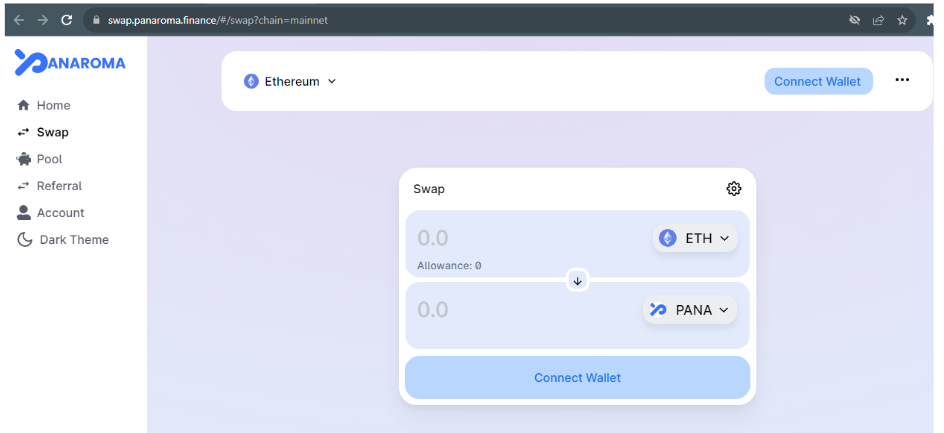
Visit our official website: Panaroma Swap
Step 2: Connect Your Wallet
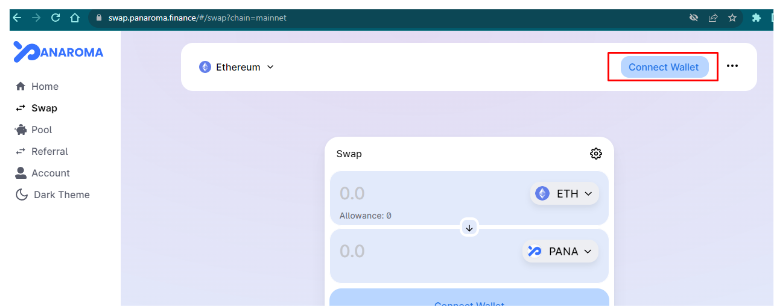
- Click on the "Connect Wallet" button located in the top-right corner of the homepage.
- Select your preferred wallet provider from the options provided (e.g., MetaMask, WalletConnect).
- Follow the prompts to connect your wallet to Panaroma Swap.
Step 3: Verify Your Wallet Connection
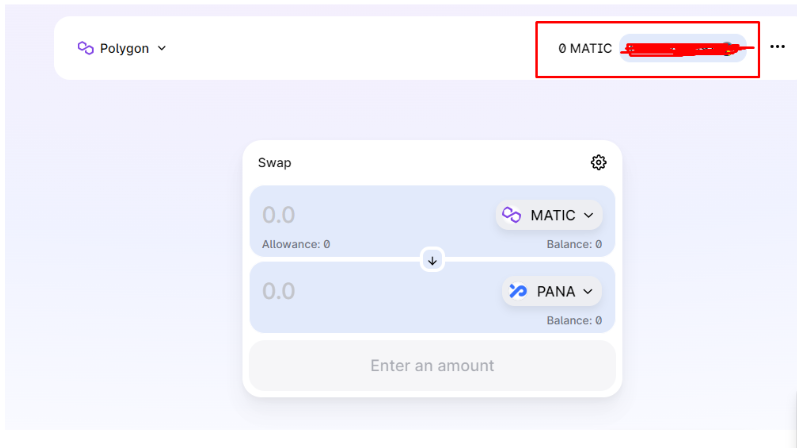
Once connected, you should see your wallet address displayed on the platform. This indicates a successful connection.
Step 4: Navigate to Registration
- Locate and click on the "Register" or "Sign Up" button on the homepage.
- You may be prompted to enter additional information, such as an email address or username, depending on the registration process.
Step 5: Complete Registration Details
Fill in the required registration details, which may include:
- Username: Choose a unique username for your Panaroma Swap account.
- Password: Create a secure password to protect your account.
- Email (if required): Provide a valid email address if prompted.
Step 6: Agree to Terms and Conditions
Carefully read and agree to Panaroma Swap's Terms of Service and any other applicable policies.
Step 7: Verify Your Identity (if required)
Follow any additional steps to verify your identity, if prompted. This could involve completing a CAPTCHA or other verification process.
Step 8: Confirm Registration
Click the "Register" or "Create Account" button to finalize your registration on Panaroma Swap.
Step 9: Explore Panaroma Swap
Congratulations! You are now a registered member of Panaroma Swap. Explore the platform's features, trade assets, and take advantage of decentralized finance opportunities.
Additional Tips:
-
Security First: Ensure that your wallet is secure and that you never share your private keys or recovery phrases.
-
Stay Informed: Keep up-to-date with platform updates, new features, and security best practices through our official communication channels.
For any assistance or inquiries, feel free to reach out to our customer support team via [email protected].